
Switching Buyer/Seller Dashboard
Move between buyer account and seller dashboard without losing context.
Step-by-step
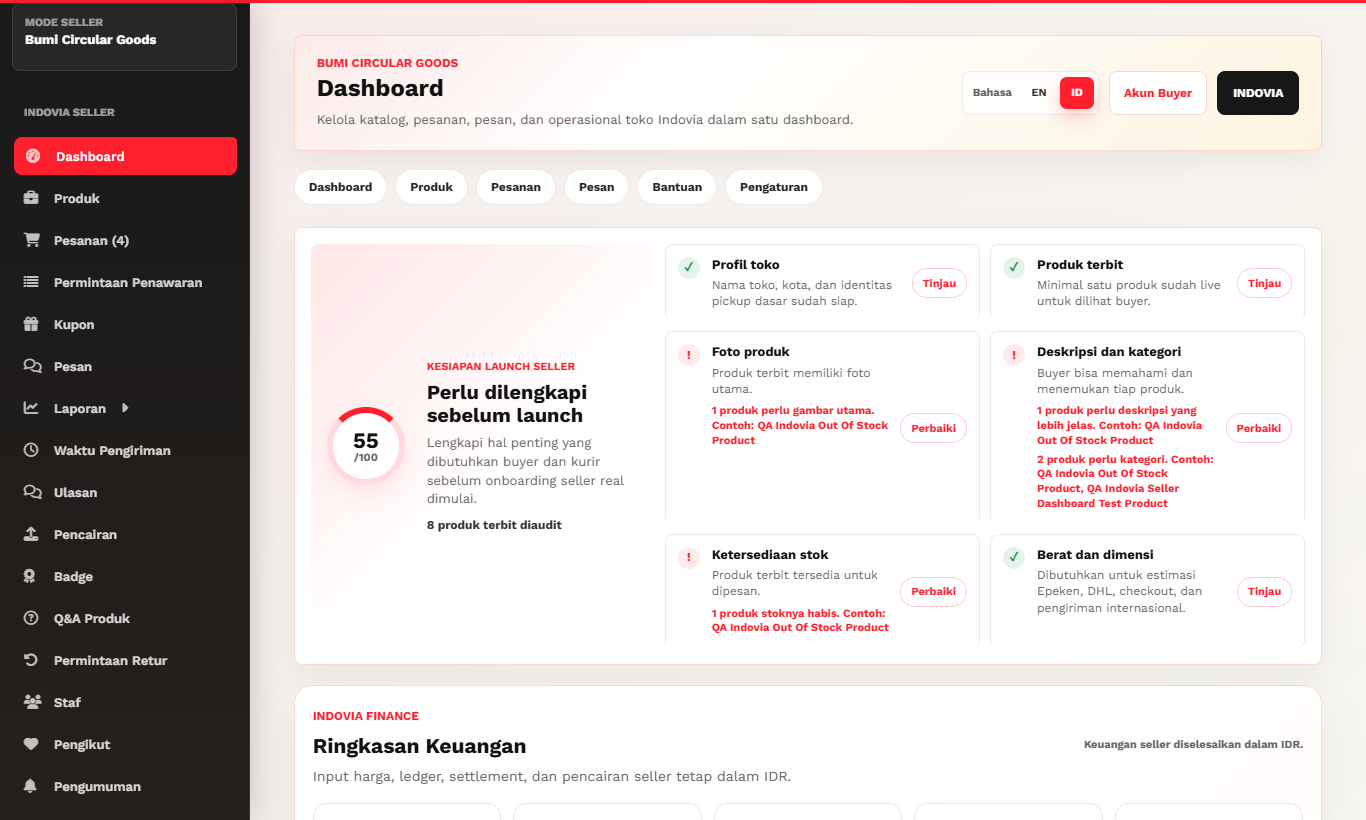
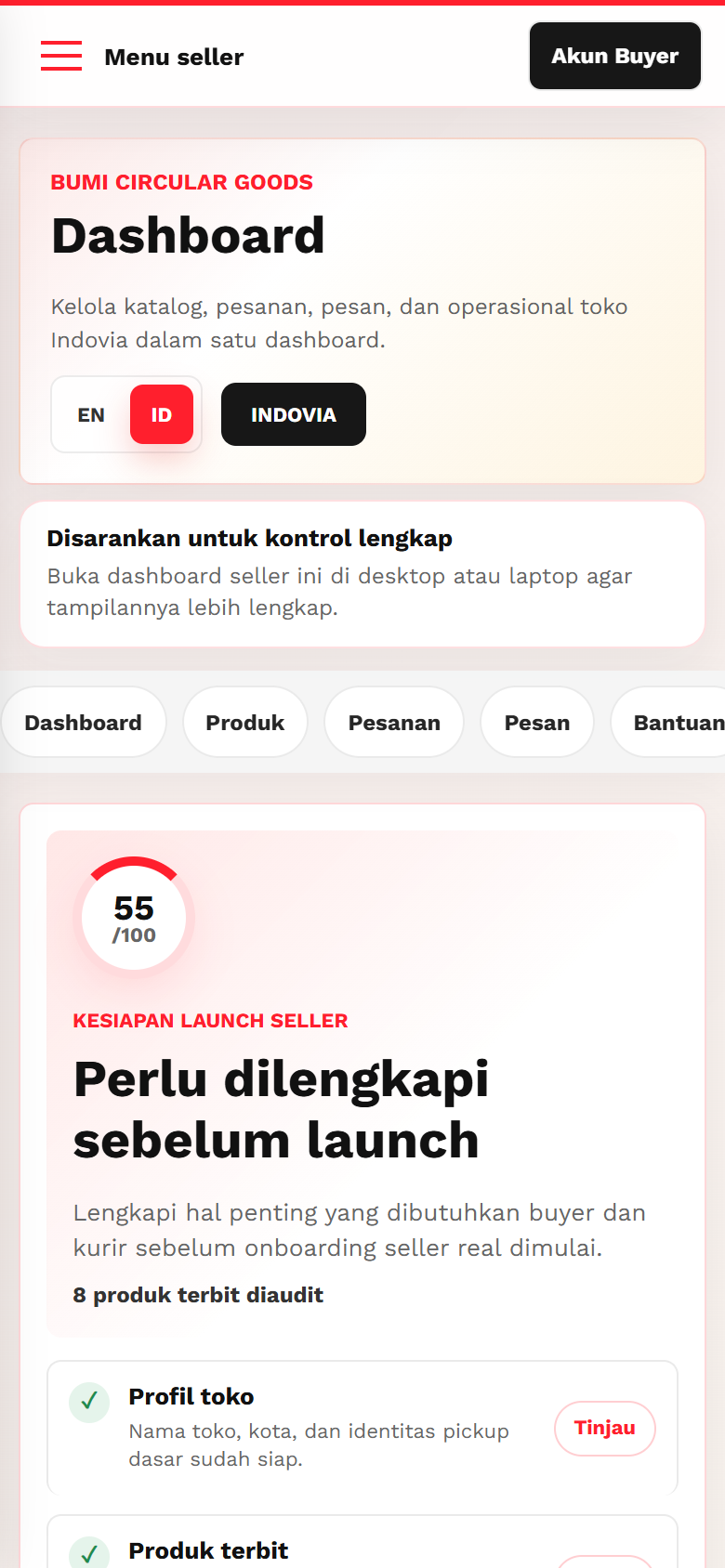
- From seller dashboard, use the buyer account switch link when you need buyer-side account pages.
- From buyer account, use the seller dashboard link only if your account is an approved seller.
- Confirm the page header and navigation match the mode you intended.
- On mobile, prefer desktop or laptop for full seller dashboard work.
Screenshots
Common mistakes
- Assuming buyer and seller pages have the same menu.
- Opening seller dashboard from a non-seller account.
- Editing product data from mobile when desktop gives a more complete view.