
Seller Dashboard Login
Log in to the seller dashboard and confirm you are in seller mode.
Step-by-step
- Go to the seller dashboard login page or dashboard link.
- Enter the email or username used during invitation registration.
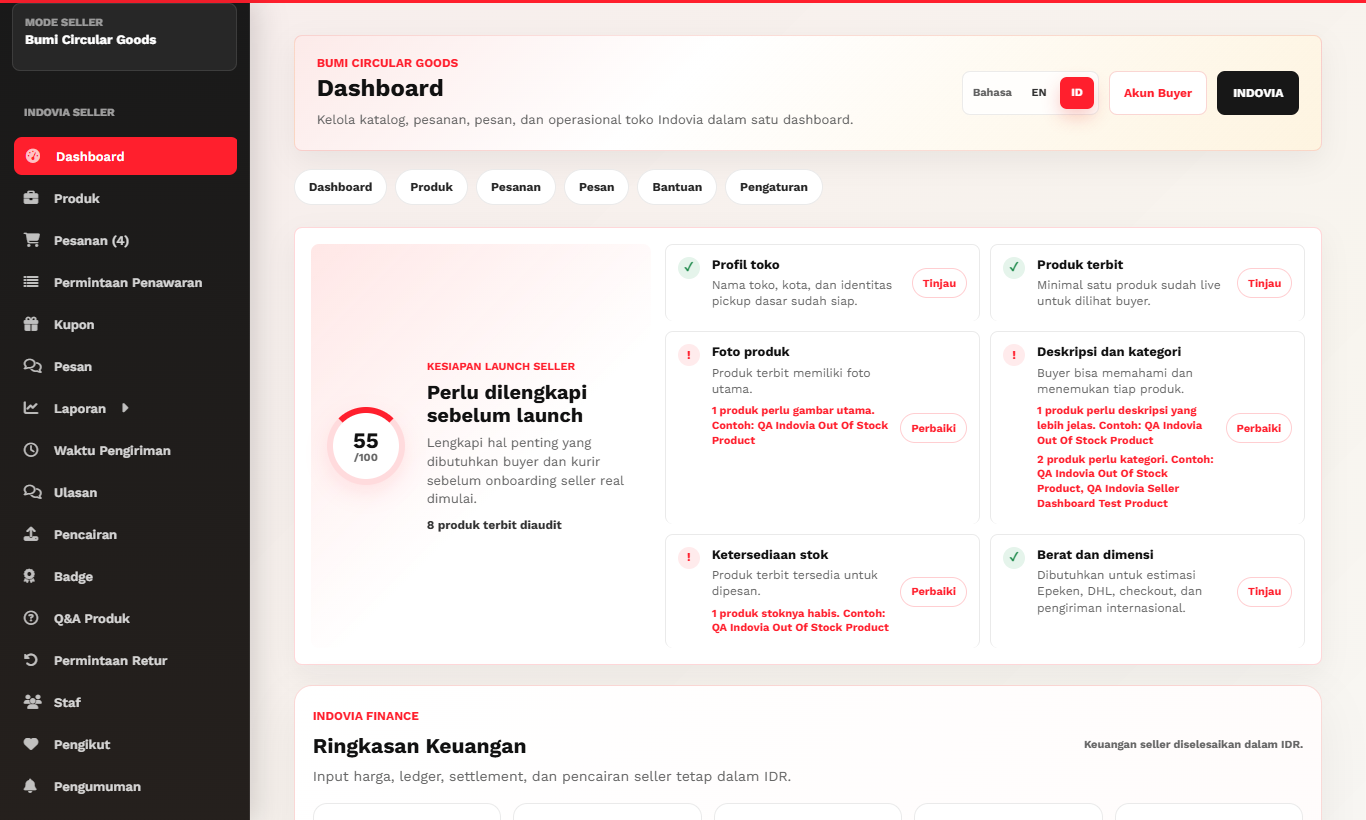
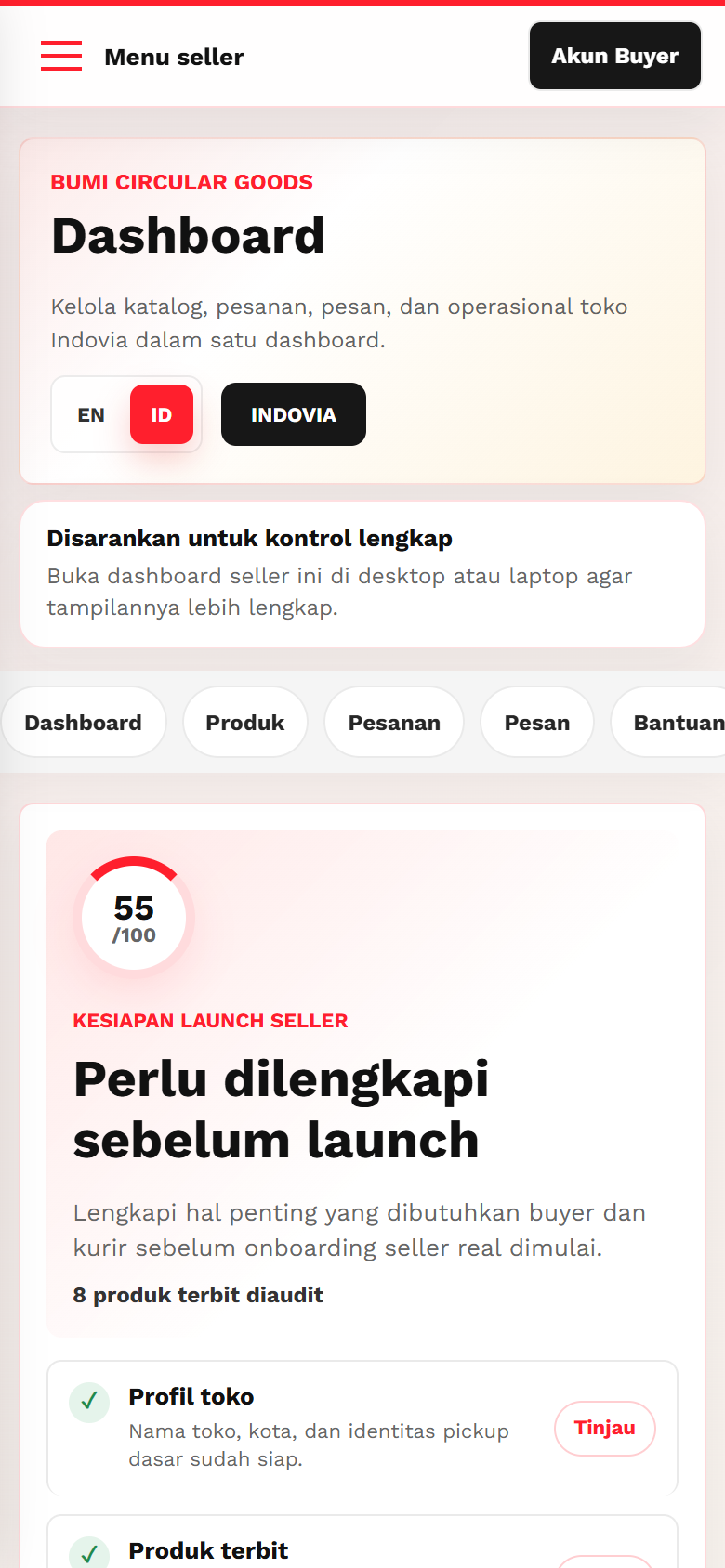
- Confirm the dashboard shows seller navigation, not buyer account navigation.
- Use the language selector if Indonesian guidance is needed.
- If access is blocked, contact Indovia instead of creating a public buyer account.
Screenshots
Common mistakes
- Trying to access seller dashboard with a buyer account.
- Using the wrong language mode and misunderstanding labels.
- Opening old cached dashboard tabs after account changes.